Choosing the wrong machine file configuration quickly stalls a production run. Unlike standard digital printers, reading basic graphics, commercial, and home embroidery machines requires highly specific stitch data. Professional embroidery digitizing services map your raw artwork into working coordinates, preventing machine errors, design rejections, and ruined garments before they start.
Why File Formats Matter in Embroidery Digitizing
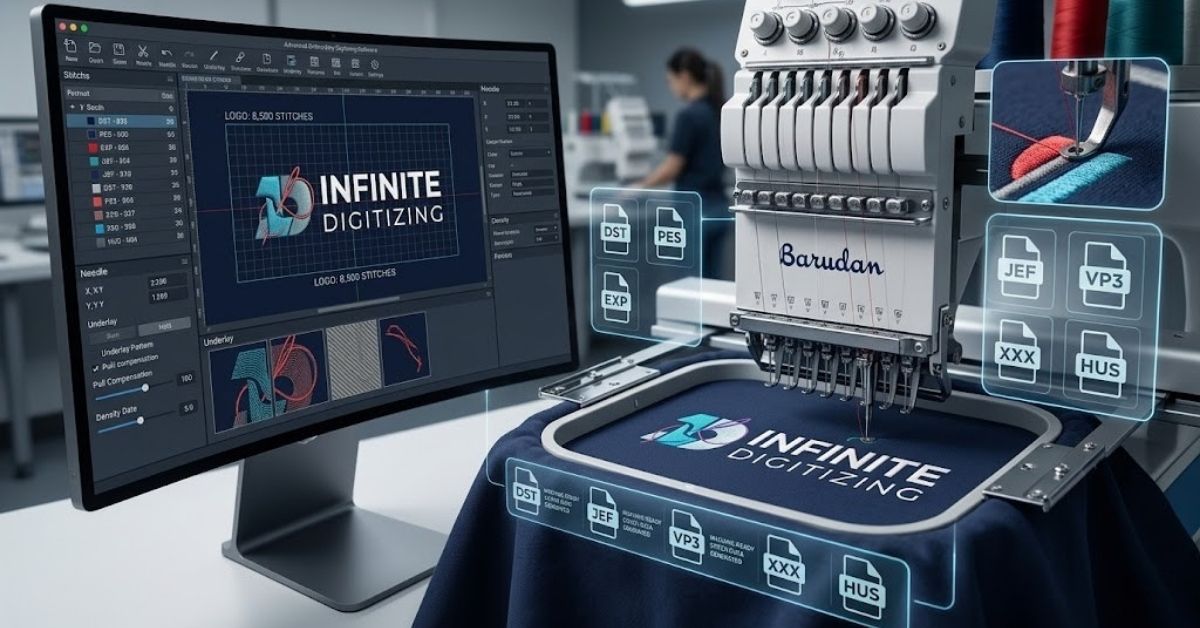
Embroidery machinery cannot read flat pixels, vector lines, or transparent image files. Instead, these machines require specialized coordinate files that map needle movements, stitch densities, and trimming paths.
- Machine Language: Every equipment brand utilizes a specific file extension to guide its needles across the fabric.
- Corrupted Stitching: Uploading an unmapped or improperly converted file format causes instant machine lag, stitch bunching, or thread snaps.
- Production Integrity: A seasoned embroidery digitizing service converts your creative artwork while ensuring the file architecture matches your specific machinery.
- Multi-Format Safety: High-quality digitizing services for embroidery prepare files according to your exact mechanical limitations. Infinite Digitizing naturally builds and supports over 20 distinct machine configurations for home and industrial setups.
Quick Comparison: Top Embroidery File Formats at a Glance
Choosing the best embroidery digitizing service means getting files tailored precisely to your operational setup. The chart below breaks down the primary options handled by a commercial embroidery digitizing service daily.
1. DST File Format: The Industry Universal Standard
The Tajima-developed DST file format remains the most widely recognized extension across the global apparel decoration landscape. Top-tier embroidery digitizing service routinely delivers this file type because it acts as the default option for almost all industrial machinery.
- Pure Stitch Data: This format encodes exact X-Y plot coordinates, jump stitches, and mechanical stop commands cleanly.
- Color Handling: It does not hold native thread color palettes, meaning the physical machine operator sets color paths manually at the console.
- Industrial Backbone: It is used by major multi-head setups, including Barudan, Happy, SWF, and Ricoma.
- Reliable Delivery: Our dedicated digitizing services for embroidery include clean DST files with every single order to keep production simple.
- Universal Fallback: If you run an industrial shop or are unsure of an older machine’s specifications, requesting a DST file is your safest path forward.
2. PES File Format: Best for Brother & Babylock Machines
The proprietary PES file format is widely utilized by home sewists and boutique apparel shop owners alike. If you operate a Brother or Babylock machine, choosing a reliable embroidery digitizing service helps keep your built-in thread colors completely accurate.
- Embedded Palettes: Unlike commercial alternatives, this file type holds both technical stitch maps and distinct color information.
- Version Control: It updates across different software versions (like PES v6, v10, or v12), which require matching machine firmware to read correctly.
- Retail Standout: This file structure is ideal for running standard multi-needle home business equipment.
- Precision Mapping: The best embroidery digitizing services pre-map your thread selections so your machine reads colors perfectly without manual overriding.
3. EXP File Format: Best for Melco & Bernina Machines
The EXP file format is highly valued by commercial production floors running high-speed Melco machinery. Utilizing specialized digitizing services for embroidery guarantees your files match the fast pace of automated commercial systems.
- Streamlined Codes: This format operates with a lean structure that focuses purely on high-speed stitch paths and trim actions.
- Cross-Platform Fit: It acts as the primary layout for Melco commercial systems while remaining fully compatible with high-end Bernina home sewing machines.
- Production Scaling: It is widely used by uniform suppliers and promotional shops that require rapid, multi-head apparel branding.
- Commercial Support: Our professional embroidery digitization service provides clean EXP output files to ensure your industrial machines encounter zero software lag.
4. JEF File Format: Best for Janome Machines
The JEF file format serves as the native language for Janome embroidery systems. To get smooth results on these systems, you need a precise embroidery digitization service that creates files natively rather than relying on automated file conversions.
- Janome Optimization: It houses accurate hoop sizes, thread choices, and geometric placement paths tailored to Janome hardware.
- Direct Compatibility: Janome systems will often skip or misread universal formats like DST without experiencing conversion errors.
- Boutique Focus: It supports both single-needle craft equipment and specialized semi-commercial setups.
- Flawless Formatting: The best embroidery digitizing services build your file sizes to fit within Janome’s strict hoop boundaries.
Other Formats Worth Knowing (VP3, XXX, HUS)
While commercial systems focus on the big four, boutique garment shops often use legacy configurations. Top-tier embroidery digitizing service maintains native compatibility for these specialized home sewing extensions.
- VP3 Configuration: Used primarily by modern Husqvarna Viking and Pfaff machines to hold detailed design and color maps.
- XXX Architecture: The native file standard for legacy and modern Singer home embroidery products.
- HUS File Type: An older Husqvarna format that has largely been replaced by modern VP3 setups.
- Smart Setup: Our premium embroidery digitization service supports all major extensions, delivering files built for your exact equipment model.
- Clear Specifications: Always share your exact machine model with your digitizer to get clean, error-free sewing production.
How to Choose the Right Format for Your Machine
Choosing the right format does not have to feel like guesswork. Follow this simple, citable framework to find the exact file your project needs:
- Step 1: Review your equipment manual or look up the manufacturer’s website to check your machine’s native extension.
- Step 2: When booking digitizing services for embroidery, enter your exact extension and machine brand directly into the order notes.
- Step 3: Use a universal DST file as a dependable fallback option if you ever need to run an unexpected commercial production line.
- Step 4: Partner with an agile team like Infinite Digitizing that provides multiple formats with every order for total flexibility.
Why Professional Digitizing Services Get the Format Right Every Time
The best embroidery digitizing services provide much more than basic file extension conversions. Automated software programs lack the human touch needed to adjust for real-world sewing factors.
- True Fabric Adaptation: True digitizing services for embroidery manually map out pull compensation, stitch density, and pathing based on your target fabric.
- Zero Software Defects: Professional digitizing prevents bird-nesting, needle snaps, and puckered outlines before production starts.
- Infinite Versatility: Our embroidery digitization service delivers crisp results across diverse setups, whether you need a commercial DST file format or a detailed PES file format.
- Tested Excellence: Infinite Digitizing offers a InfiniteInfinite Digitizing offers a 6 to 8 hour turnaround, unlimited modifications, and manually verified files built to match your exact commercial machinery.
- Native Digitizing: True quality comes from digitizing your file natively for your specific format, rather than relying on quick automated file updates.
Conclusion
Matching your specific machine to the correct embroidery file format prevents production delays and ruined garments. Partnering with a professional digitizing service like Infinite Digitizing ensures error-free configurations, accurate color mapping, and clean stitch data tailored precisely to your equipment.
Infinite Digitizing eliminates machine errors by delivering flawless, natively digitized files for any embroidery machinery.
FAQs
1. What is the best file format for embroidery digitizing?
DST is the industry baseline, while PES is optimal for Brother brand setups.
2. Can I convert a JPG to a PES embroidery file?
Yes, but flat images require manual rebuilding through an expert digitizing service.
3. What software do I need to digitize for embroidery?
Industry standards include Wilcom, Hatch, Pulse, or specialized native machine software tools.
4. What is the difference between DST and PES files?
DST contains pure stitch paths, whereas PES contains both paths and color information.
5. Is embroidery digitizing hard to learn?
Masterful digitizing demands professional training, fabric knowledge, and meticulous machine stitch engineering.