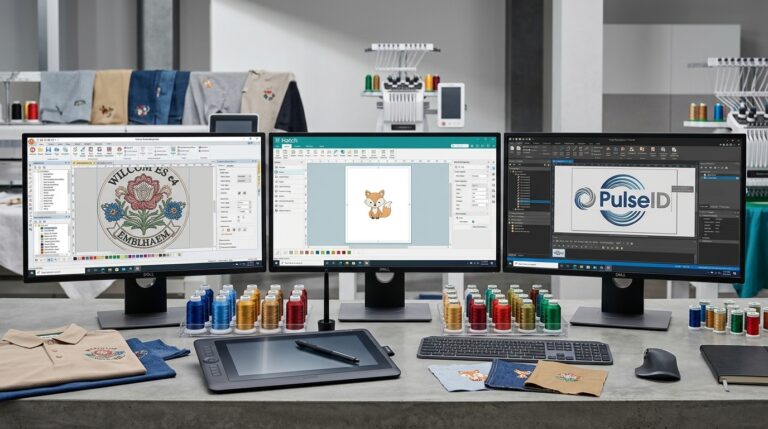
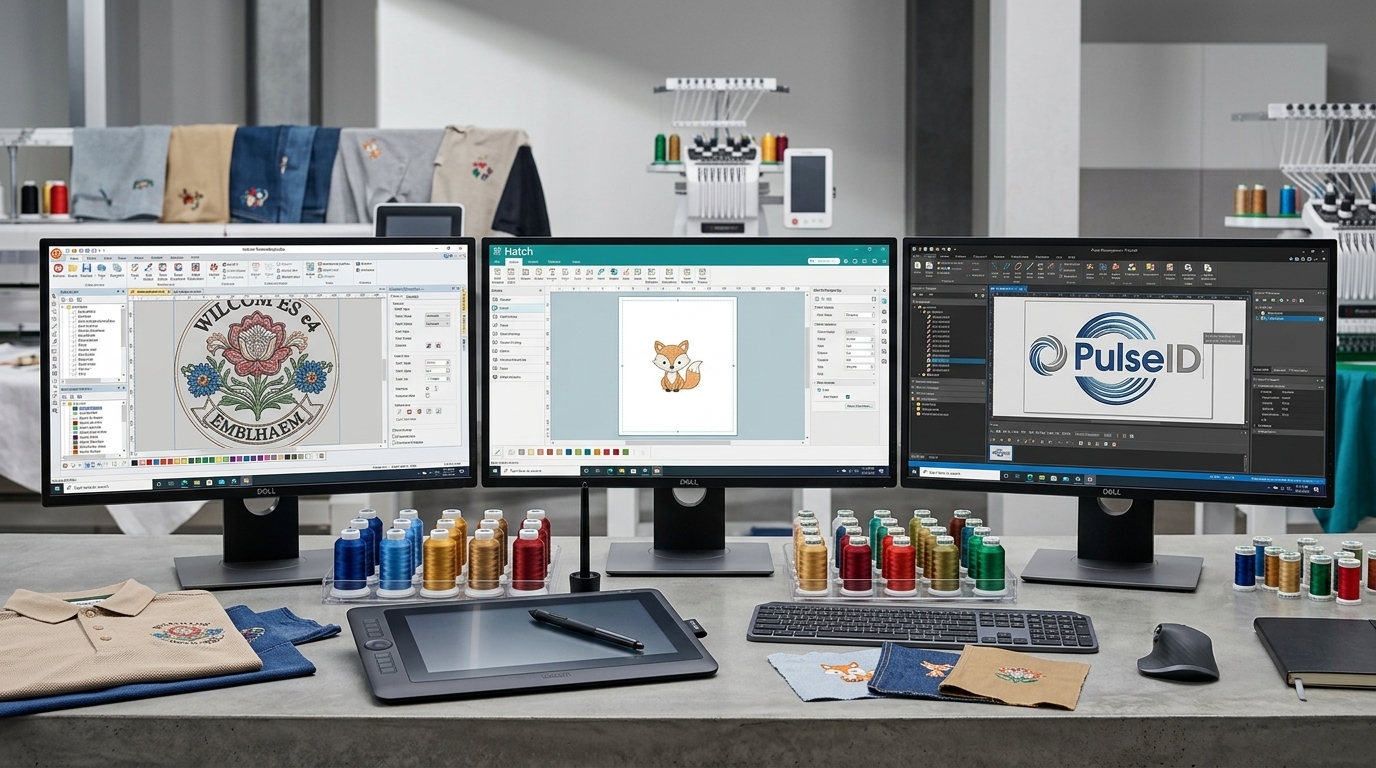
The design software you choose dictates your embroidery digitizing stitch quality, workflow efficiency, and your profitability in the garment industry. The market comprises three key players: Wilcom, Hatch Embroidery, and Pulse Microsystems, who target totally different audiences of users. No matter whether you have a one-head machine or commercial multi-headed machines, the choice of your software will depend on your production volumes and skills.
Why Choosing the Right Software Matters
Regarding your workshop layout, even the best program will only perform as well as the embroidery digitizer using it. The selection of the appropriate embroidery digitizing software directly affects the stitch quality, the speed of the editing process, file formats supported (DST, PES, EXP), as well as compatibility with your embroidery equipment.
Every buyer type calls for a totally different approach:
- Hobbyists should be provided with an easy-to-use interface that does not require a background in computer science to operate.
- Start-ups that grow should have scalable solutions that will deal with custom logos of their clients without constant adjustments.
- High-volume manufacturing operations should have reliable automation with speed and efficiency for different shifts.
Remember that software is just half the solution; technical expertise, machine settings, and effort required are just as important. You can learn about the basics of digitizing and choosing the right file format before getting started.
Quick Comparison: Wilcom vs Hatch vs Pulse
When it comes to digitizing for embroidery, each platform targets a different user profile, budget, and production volume.
| Factor | Wilcom | Hatch Embroidery | Pulse Microsystems |
|---|---|---|---|
| Best for | Professionals, decorators | Beginners, small businesses | Commercial production |
| Learning curve | Steep | Gentle | Moderate to steep |
| Manual digitizing tools | Advanced | Solid | Advanced |
| Auto-digitizing | Limited | Included, beginner-friendly | Available |
| Lettering and fonts | Excellent | Good | Excellent |
| Pricing model | Premium, tiered editions | Modular, lower entry cost | Premium, quote-based |
| Platform | Windows | Windows | Windows |
Wilcom: Best for Professional Control
Wilcom is known to be the industry standard software that features excellent manual control when it comes to stitches, underlay, and pull compensation. Professionals use this tool for digitization of embroidery tasks that require ultimate precision, complex gradients, and complicated lettering.
- Pros: Outstanding stitch precision, great vector-to-stitch converter, huge community of users around the globe, and multiple machine formats available.
- Cons: High initial difficulty level for newbies, high cost, and high computer demands.
- Verdict: Excellent choice for professionals and commercial decorators who seek ultimate control over every stitch.
For a deeper dive into crafting clean paths from scratch, read our guide on the digitizing workflow.
Hatch Embroidery: Best for Beginners and Small Shops
Hatch is usually the ideal starting point for those beginning in digitized embroidery and desiring a user-friendly graphical interface without being burdened by complicated commercial specifications. A product of the same team that made Wilcom, Hatch allows modular pricing through separate add-ons for different functions.
- Pros: User-friendly interface, flexible modular pricing, efficient automatic digitization for quick processing of basic graphics, and excellent learning tutorials within the program.
- Cons: Less depth for ultra-complex artwork; intricate corporate logos often require manual cleanup to sew smoothly without thread breaks.
- Verdict: Best for hobbyists, home-based entrepreneurs, and boutique shops scaling up their operations.
Pulse Microsystems: Best for Production Workflows
Production teams staffed with experienced embroidery digitizers often prefer Pulse’s workflow tools for their speed and network integration. Built specifically with commercial and multi-head production lines in mind, Pulse excels at managing heavy daily workloads.
- Pros: Outstanding production management tools, robust lettering engines, and professional-grade editing features tailored for industrial shops.
- Cons: Significant financial investment, a narrower community content library compared to Wilcom or Hatch, and a less forgiving interface for novices.
- Verdict: Best for larger embroidery houses running steady, high-volume commercial orders across multiple machines.
Software vs Hiring a Digitizer: What Makes Sense?
Professional embroidery digitizing services relieve you of the expenses associated with software acquisition, learning process, and hardware upgrade. In online embroidery digitizing, all you have to do is upload the original artwork of the clients and get back well-edited files for production purposes on your particular equipment.
- Buying software means: Initial software license cost, training time, hardware maintenance, and software updates.
- Outsourcing means: Predictable per-design pricing, rapid turnaround times, zero learning curve, and professional file optimization.
- Decision Guide: Buy software if your internal volume is high, you love the technical side of design, and you want complete in-house control. Outsource if your orders are occasional, complex, or tight on deadlines. Many growing shops use a hybrid model, handling simple text in-house while outsourcing complex multi-color jacket backs.
Ready to clear your queue? Get a Free Quote from Infinite Digitizing.
Which One Should You Choose?
Whatever the choice, good digitization relies on having clear paths and using the correct format. In conclusion: Wilcom allows you to have full control and is suitable for professional use; Hatch provides you with an easy way of getting into the game; and Pulse enables heavy industrial work. If you find the use of software too demanding, you can avoid it and let experts do the work.
Skip the learning curve. Send us your artwork →
Key Takeaways
Selecting the right embroidery digitizing software to use largely comes down to your business size, your budget, and technical proficiency. Whether you make use of the precision offered by Wilcom, the flexibility of Hatch, or the industrial capability of Pulse, the investment is well worth it. If you find the software side to be too much for you, you should definitely consider outsourcing.
Infinite Digitizing transforms your complex designs into flawless, production-ready embroidery files, instantly saving you software costs and steep learning curves.
FAQs
1. Which embroidery digitizing software is best?
A: Wilcom leads for advanced commercial studios, Hatch is best for beginners and small shops, and Pulse excels in heavy industrial production.
2. What is the difference between Wilcom and Hatch?
A: Wilcom provides deep, granular stitch-level control for industrial use, while Hatch uses the same core engine in an accessible, modular layout designed for hobbyists and small businesses.
3. Is Wilcom worth the price for a beginner?
A: No; its steep learning curve and enterprise cost make Hatch a much more practical entry point.
4. Can you digitize professionally using Hatch?
A: Yes, for boutique orders, lettering, and simple logos, though complex commercial graphics may require manual cleanup.
5. Do you still need software if you outsource digitizing?
A: No, outsourcing eliminates the need for software licenses, hardware upkeep, and training.