Embroidery digitizing tools promise to turn a logo into a stitch file in minutes. Some of that promise is real. But a file that opens on your machine is not the same as a file that sews cleanly on a cap, a polo, or a thin jacket.
This guide explains what auto digitizing tools actually do, where they help, where they fail, and how to decide between software and a human embroidery digitizer. It uses guidance from the makers of the software itself, so you can see the limits in their own words.
Comparing AI vs Human Digitizing
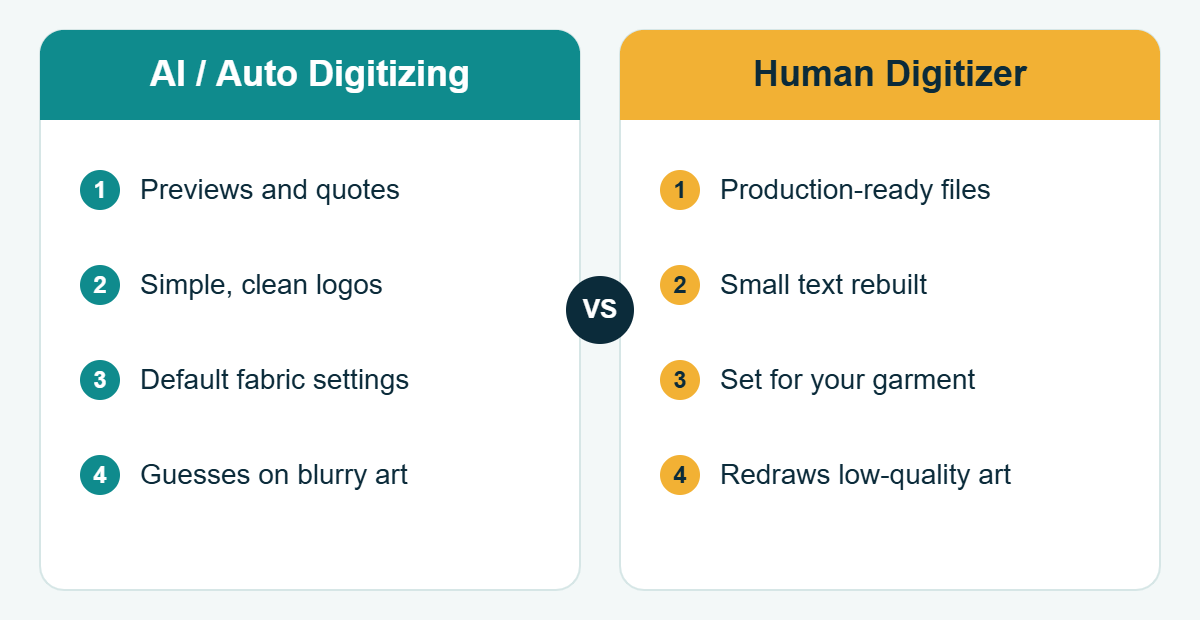
Here is a comparison between AI and human digitizing for embroidery, so you can decide which one suits your business best.
| Factor | AI / Auto Digitizing | Human Digitizer |
|---|---|---|
| Speed | Minutes for simple art | Longer; depends on the design |
| Clean, simple logos | Often usable after review | Production-ready |
| Small text | Often merges or breaks | Rebuilt for stitch size |
| Caps | Uses flat defaults | Sequenced for a curved surface |
| Fabric settings | Default underlay, density and pull compensation | Set for the garment |
| Low-quality images | Guesses at edges | Redraws the art |
| Best use | Previews, quotes, drafts | Production files |
What AI Digitizing Tools Actually Do
Digitizing turns artwork into a set of stitch instructions: where each stitch goes, which stitch type to use, the stitch direction, the density, the underlay, and the color order.
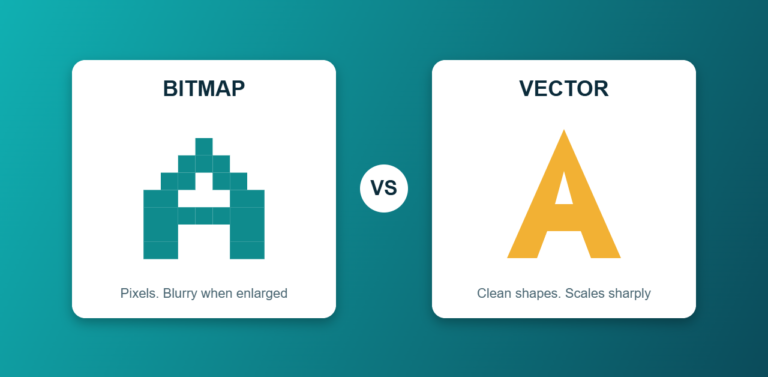
Auto digitizing software reads the colors and shapes in an image and assigns stitch types to each area. Newer tools add AI to detect shapes and text. But the core problem stays the same. The software sees pixels, not fabric. It doesn’t know if the design will go on a stretchy knit, a structured cap, or a towel.
That’s why digitizing for embroidery has always been part technical and part judgment. For a deeper look at why the human side matters, read why professional digitizing matters for high-quality embroidery.
What AI Digitizing Does Well
Auto digitizing has real uses, some of which software makers list themselves:
- Customer previews. It can produce a realistic preview of the stitched design for approval.
- Pricing estimates. Wilcom says its stitch counts are close to those of a professional digitizer, which helps when you quote a job.
- Simple, clean art. It works best with clean artwork that has few colors and sharp edges.
Where AI Digitizing Fails
Along with the benefits, there are a few failures that manufacturers see. You still need a skilled review. Artwork quality is the biggest factor. Wilcom’s guidance on suitable artwork recommends PNG over JPG, 300 DPI instead of 96 DPI, transparent backgrounds, and no anti-aliasing. It also says each shape should be at least 1 sq mm to be stitchable, and that photos are the least effective input for digitizing.
Most logos customers send don’t meet that standard. A screenshot or a website logo is often low resolution with blurry edges. The software then guesses where each shape ends, and those guesses show up as jagged outlines, stray jump stitches, and extra trims. Our guide to common embroidery digitizing mistakes shows how these problems look on the finished piece.
Fabric is the other gap. Push and pull compensation adjusts the file to stop fills from shrinking and outlines from missing their shapes. It depends on the fabric, the stitch length, and the direction. Default values can’t know your garment. Learn more in our guide to push and pull compensation.
AI Digitizing for Caps and Small Text
These are the two places auto digitizing struggles most.
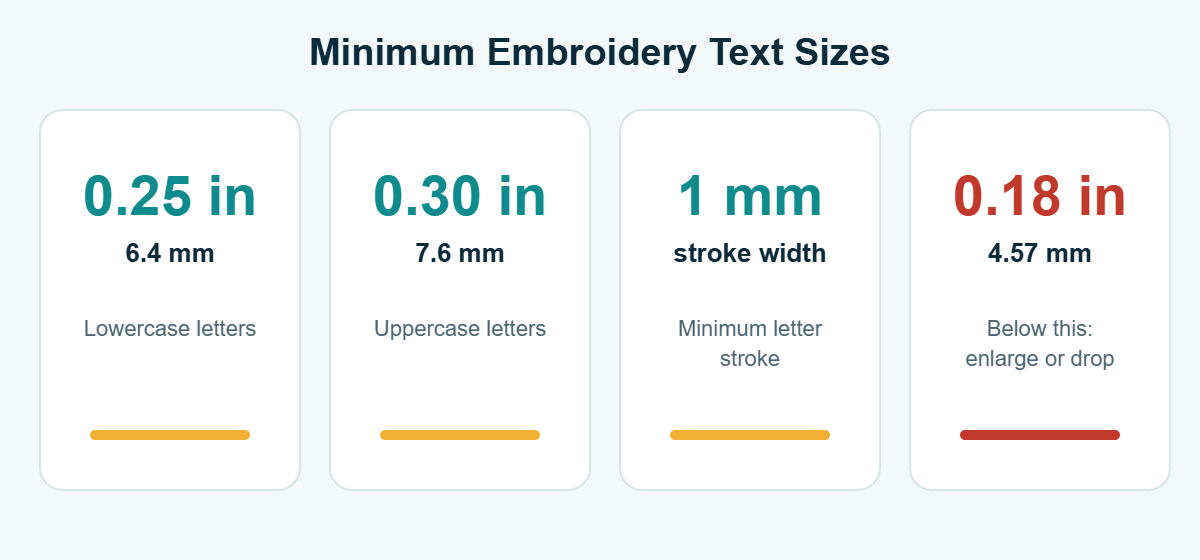
Small text. For embroidery design, set lowercase letters to at least 0.25 inch (6.4 mm) and uppercase to 0.3 inch (7.6 mm). Letter strokes need to be at least 1 mm wide, and text under 0.18 inch (4.57 mm) must be enlarged or dropped. Auto tools often trace small text as it appears in the image. Letters that are too small or too close together can merge into one shape or break apart.
Caps. A cap is curved and stitched on a cap frame, not flat in a hoop. This cap embroidery guide says cap designs should always be sequenced bottom-up and center-out to stop uneven pull. It also warns against reusing a DST file made for a flat item, like a polo, on a cap. Auto digitizing tools generally don’t apply this sequencing unless someone edits the file. See our notes on cap embroidery problems, and our cap digitizing service, for how we handle it. If you plan puffy lettering, read which fonts work for 3D puff embroidery first.
| Job | Is AI Good Enough? |
|---|---|
| Large, simple one-color logo on a flat garment | Often, after review |
| Small left-chest text | Rarely without edits |
| Structured cap front | Rarely without edits |
| 3D puff on caps | No (needs manual setup) |
| Photo-style or gradient art | No |
Is AI Digitizing Cheaper?
The file can be cheaper up front. But failed sew-outs, thread breaks, and ruined garments add cost. For designs you will stitch many times, a professional file is usually the better value.
When to Use a Human Digitizer
Use a professional embroidery digitizing service when:
- The design has small text under about a quarter inch.
- It’s going on caps, especially structured or 3D puff.
- The artwork is a JPG, a screenshot, or a photo.
- The fabric is tricky: stretch knits, towels, leather, or thin fabrics.
- You’re stitching at volume, where every failed piece costs money.
- It’s a brand logo that has to look the same on every item.
AI is fine for a quick preview, a quote, or a one-off personal project on a forgiving fabric.
Get Production-Ready Files from Infinite Digitizing
At Infinite Digitizing, our digitizers build each file for the item it will be stitched on, and set the sequencing, density, and compensation for your fabric. That’s what our custom embroidery digitizing service is built for.
Tried an auto-digitized file that didn’t sew well?
Send us your artwork and see why we are the best embroidery digitizing service for production-ready files.
FAQs
1. Can AI digitize embroidery designs accurately?
For simple, clean artwork with few colors and sharp edges, AI can produce a usable draft. For production, Wilcom says auto digitizing is not a substitute for expert digitizing, and designs often need editing or full redigitizing.
2. What are the limitations of auto digitizing tools?
They use default stitch types, directions, underlay, density, and pull compensation that may not suit your fabric. They struggle with low-quality images, small text, caps, and photos. The output usually needs review by a skilled digitizer.
3. Is AI digitizing good enough for caps and small text?
Usually not without edits. Cap designs need bottom-up, center-out sequencing, and small lettering needs to meet minimum sizes, such as 0.25 inch for lowercase letters. Auto tools rarely handle either well on their own.
4. Is AI digitizing cheaper than hiring a professional digitizer?
The file can be cheaper up front. But failed sew-outs, thread breaks, and ruined garments add cost. For designs you will stitch many times, a professional file is usually the better value.
5. When should you use a human digitizer instead of AI?
Use a human digitizer for small text, caps, 3D puff, low-quality artwork, difficult fabrics, brand logos, and any job at volume. Keep AI for previews, quotes, and quick drafts.